Wednesday, 3 November 2021

Practicing Tips for Success in Music Lessons

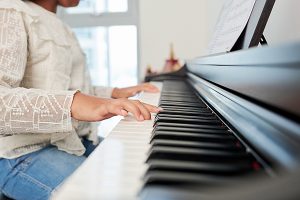
Here are some practicing tips for fostering a positive music lesson, which will help ensure a successful music education experience. It is important to note that students require the support of their parents and family members in assisting them to reach their goals including maintaining a consistent practice routine. Parents will need to sit with younger children to practice.   

Don’t wait until you feel inspired to practice. Just make it part of your daily routine like brushing your teeth, doing chores or doing homework etc. You will get inspired after you’ve made progress! There is a saying “Practice Makes Perfect!” It is important that students develop the discipline to make practicing part of their daily routine in order to achieve success. 

Consistent, dedicated practice is essential to success. A good idea is to have a practice chart where you can track your minutes, perhaps in your music diction book, that both parents and teachers can see. It’s like counting your steps for a fitness goal!    

Try to find a time of the day that doesn’t compete with anything else so as to be able to consistently make this music practice time!   

How much time should students practice every day? The answer is somewhat dependent on the student’s age and their goals. For a very young child of 4 or 5 years old, perhaps 10 minutes a day, for an advanced musician with professional aspirations, perhaps 10 hours a day! Here is a general guideline to start with, however please discuss with your teacher, keeping in mind that every child is different and every student has a different comfort level for how long they can maintain concentrated practice. In some cases, students may wish to break up their practice sessions into smaller amounts and practice twice a day.  

  • 4-5 years old 10 minutes a day  
  • 6-7 years old 15 minutes a day  
  • 8-9 years old 20 minutes a day 
  • 10 – 12 years old 30 minutes a day 
  • 13 years and up 45 minutes to an hour a day. 
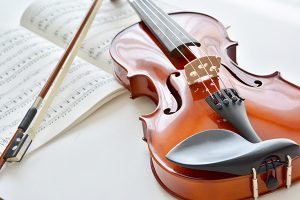
 

What should I practice? This should be answered by your instructor. Often an instructor will make notes in a note book or the music book, however here are some general guidelines:

1) Warm up with techniques such as finger exercises, scales, chords & arpeggios.

2) Practice repertoire, keeping special attention to areas that your instructor has mentioned such as notation (correct notes), rhythm (counting evenly with a metronome), correct fingering, phrasing, dynamics etc.

3) Practice in sections. Start with the areas that require the most attention. It is a temptation to start with what you already know well. Leave that until the end as a reward. Practice your pieces in small sections, such as every phrase or every four measures or every line, multiple times in a row and in different ways. Perhaps the 1st time watch to use correct fingering and say the note names to reinforce your note reading, 2nd time try counting the rhythm aloud as you play 1 + 2 + 3 + etc. and then the 3rd time concentrating on all the dynamics and phrasing.

4) At the end of the practice session, students can have some fun playing songs they have learnt. Also, this is a good time to experiment with their instrument, exploring different sounds and creating melodies of their own!   

Keep in touch with your child’s teacher. Regular communication will ensure that you, your child and your child’s teacher are mutually aware of how things are progressing. Encourage your child to discuss their lesson with you and to demonstrate works in progress as well as polished pieces. Provide opportunities for your child to listen to music. Listening to radio broadcasts, recordings, YouTube videos, web broadcasts, and live performances can inspire your child in meaningful ways.

The more a student is inspired the more they will want to practice, and remember, Practice Makes Perfect!

The post Practicing Tips for Success in Music Lessons first appeared on Academy of Music.


source https://www.academymusic.ca/practicing-tips-for-success-in-music-lessons/

Wednesday, 9 June 2021

Zoom Tips

Tips for a successful Zoom Music Lesson or a Zoom Music Recital

Here are some important tips for setting up your device for a successful Zoom music lesson or Zoom Music recital. Practice with family and friends before your lesson or recital to test your set up.

1. Internet connection

It is important to have a good, fast internet speed (both upload and download) when using Zoom so as not to cut in and out. You may be required to upgrade your existing plan if you are on a basic plan. Make sure no one else in the home is using the internet at the same time (especially video streaming such as Netflix & YouTube) as this will slow down the internet speed.

Here are some other tips about your internet connection for Zoom.

  • Wired connections are better than wireless (Wi-Fi or cellular) connections.
  • WiFi connections are better than cellular (3G/4G/LTE) connections.

Consider Disabling HD webcam video.

Sending high definition (HD) webcam video requires more bandwidth than sending non-HD. Disabling HD video will free up more of your Internet connection for other parts of your Zoom meeting.

Close other, unneeded applications on your computer or device.

2. Sound

Zoom automatically cuts out back ground noise which is not good for a music lesson or recital. It is best to change the settings to Use Original Audio. Here are instructions on how to change that on a device as well as a computer. You will first need to download and install the Zoom app.

Enabling the Original Sound On a Device:

a) Open the Zoom App

b) Click on “Settings” on the bottom right

c) Click on “Meetings

d) Turn on “Use Original Sound”.

e) When you join a meeting, you will still need to enable the original sound. Click on “More” (the three dots at the bottom of the menu) and turn on “Enable Original Sound”.

Enabling the Original Sound on a Computer:

a) Open the Zoom App.

b) Click on “Settings

c) Click “Audio”.

d) Here you can test and adjust your speakers and microphone. Most important is the section where it says Suppress Background Noise. It will be set to Auto. Change that to Low (faint background sound).

f) Underneath you will see Music and Professional Audio. Turn on Show in-meeting option to enable original sound from the microphone by checking the box.

It will then give you three options, 1. High Fidelity, 2. Echo Cancelation 3. Stereo Audio. Make sure these are all turned off.

g) When joining the meeting you’ll need to “Turn On Original Sound” in the upper left of the screen.

3. Lighting

Make sure to have plenty of light on the student like you would taking a photograph. Try to minimize the light behind the performer as this will cause the image to be darker.

4. Camera Angle

Setting up your device camera angle for a Zoom lesson is different than it is for a recital! For most instruments it is important for the teacher to see the student’s hands as close as possible as well as the instrument. For a Zoom recital it is more important to see the whole person (head to toe) as if you were taking a photograph of the performer.


source https://www.academymusic.ca/zoom-tips/

Tuesday, 19 January 2021

Introducing Piano Marvel

If you want to learn piano online, the Academy of Music is now offering online piano lessons using an amazing piano lesson app called Piano Marvel! Whether you’re looking for piano lessons for beginners, or to supplement your advanced piano ability, this intuitive piano learning app is perfect for you!

What is Piano Marvel?

Piano Marvel is the ultimate piano learning system that takes online piano lessons to a whole new level. Many of the other online piano programs are basically just sheet music, but Piano Marvel was designed specifically by piano teachers, and is used by schools, universities and piano enthusiasts around the world.

With over 10,000 songs and exercises combined with powerful learning tools, Piano Marvel is one of the best piano learning apps that allows you to learn piano faster.

Piano Marvel also offers the ability to connect and interact with your own digital piano or keyboard, showing you if you are playing the correct notes and rhythms in a fun motivational game like approach to practice songs and lessons on your PC, Mac or iPad. You can even use Piano Marvel with an acoustic piano using book mode.

Piano Marvel lets you choose from thousands of songs to learn, ranging from classical music to pop favourites. There is even the ability to upload your own music! There are over 3,000 piano exercises designed for all levels, which include popular titles from Hal Leonard, Alfred, and FJH Music Company publishers.

Piano Marvel has 3 amazing modes to choose from:

Prepare mode

Piano Marvel’s Prepare mode makes learning new songs easier than ever!

Prepare mode waits for you to play, allowing you to work through the notes and rhythms at your own pace. It provides instant feedback and allows you to practice songs at your own speed. This helps you to learn challenging piano parts in an extremely intuitive way.

Prepare mode will also show you which notes you are playing correctly as you perform, helping to correct mistakes before they become bad habits. As you learn the notes to the song, you’ll receive visual notifications along the way, which will help you make corrections using important feedback about your performance.

You’ll also get to direct the tempo and timing of your piano performance. With the ability to expressively slow down and energetically speed up as you play, you are able to perform musically and work toward note accuracy at the same time.

Prepare Mode will help you learn notes and note patterns in the most efficient and effective way, which will help you learn to play challenging songs much faster!

Assess mode

Piano Marvel’s Assess mode lets you avoid practicing mistakes and learn piano faster with scores and detailed feedback to help you along the way, and using this feedback you can quickly correct mistakes before they turn into bad habits.

These mistakes normally go unnoticed until someone points them out. With red and green markings indicating what you played correctly and incorrectly, you’ll be able to practice mistake free.

Practice mode

Piano Marvel’s Practice mode is one of the best kept piano practice secrets of all time, and is the same technique used by piano teachers around the world!

Practice mode breaks down challenging music into smaller sections that are easier to learn. You’ll be able to practice like the pros and learn harder music in less time.

Some teachers report that their students learn up to 8 to 10 times faster using Piano Marvel!

Other Piano Marvel Features

SASR

Piano Marvel also offers a site reading section known as the SASR. The SASR (Standard Assessment of Sight Reading) is a piano sight-reading test that also teaches you to sight read better! Each time you take the SASR test you will get a sight-reading score and a chart showing your sight-reading progress.

Piano Marvel’s SASR is an amazing site reading practice tool, and is the only site unit assessment of its kind!

Video Lessons

On the journey to learn to play piano, there are many skills that are better learned through watching. Piano Marvel features over 300 high-quality videos that go along with the Piano Marvel lessons and songs.

Whether you’re a beginner or an advanced piano player, or looking for online piano lessons for kids or adults, Piano Marvel will be able to help you along your journey of becoming a better pianist.


source https://www.academymusic.ca/introducing-piano-marvel/